
Tickets and projects, on the same customers as everything else.
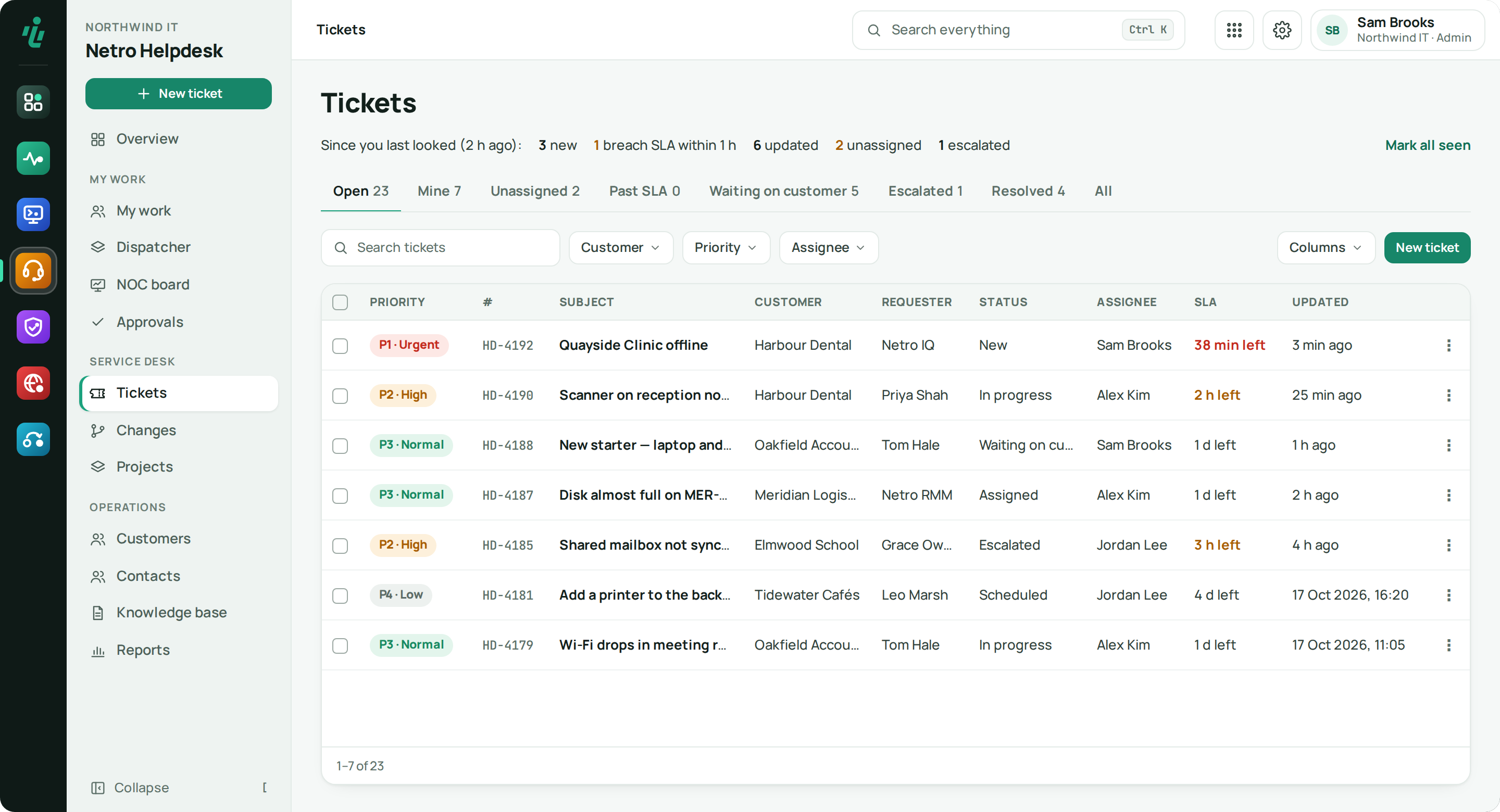
Tickets arrive from the customer portal, IQ alerts and the RMM agent, each on the right customer. SLAs warn you before you miss them, changes wait for approval, and AI drafts a reply that a person checks and sends.
Price From €19 per technician seat · minimum €29 / month. See pricing
Who uses Netro Helpdesk.
MSP service desks
One queue for every customer, with SLAs per priority and rules that route tickets to the right queue.
Internal IT teams
Requests, changes and projects in one place, with approvals where they matter.
Engineers
Reply templates, suggested answers from your knowledge base and time tracking in the ticket.
What Netro Helpdesk does.
-
Step 01
One queue for every source
Tickets come in from the customer portal, from Netro IQ alerts and from the Netro RMM agent on managed devices, each linked to the right customer. Work tickets with saved views, bulk actions, attachments, time tracking, tasks, linked tickets and reply templates.
-
Step 02
SLAs
Targets per priority for first response, next update and resolution, with a warning before one is missed.
-
Step 03
AI-drafted replies
Suggest reply fills the reply box with a knowledge-base answer when one matches well, or an AI draft based on the ticket and your closest articles, using the AI key set in the Dashboard. A person always checks and sends it.
-
Step 04
Routing and approvals
Rules send tickets to the right queue. Changes and service requests wait for approval.
-
Step 05
Auto-assign new tickets
Every new ticket goes to one person, or in turn across an operator group, and that person is told at once. The category comes from one searchable list with your recent and most used choices on top.
-
Step 06
Contacts
People who send tickets but belong to no customer are listed apart. Add one to a customer and their tickets move with them; nothing is assigned by guesswork.
Also in Netro Helpdesk
Projects and changes
Plan projects and track changes next to the tickets they came from.
Knowledge base
Write an answer once and reuse it in replies.
Getting started
Connect your sources
Customers raise tickets in the portal; Netro IQ alerts and the RMM agent add theirs. All of them use the Dashboard's customer list.
Set SLAs and queues
Set targets per priority and routing rules per queue.
Work the queue
Reply, track time, link tickets and ask for approvals from one screen.
Build up knowledge
Turn good answers into articles that help with future replies.
Works with what you already use.
- Customer portal
- Netro IQ (tickets from network alerts)
- Netro RMM (tickets from managed devices)
- Netro IQ and RMM (related devices and sites on a ticket)
- Netro Dashboard customers & sign-in
- AI key from the Netro Dashboard
Frequently asked questions
How do tickets get into the Helpdesk?
From the customer portal, from Netro IQ alerts and from the Netro RMM agent on managed devices. Each ticket lands on the right customer.
Are AI replies sent automatically?
No. The AI drafts a reply; an engineer checks it and sends it.
Do I have to keep a separate customer list?
No. The Helpdesk uses the Dashboard's customer list — the same one IQ, RMM and Netro 365 use.
Try Netro Helpdesk free for 14 days
Every account starts with a 14-day trial of every app, no card needed, and goes straight into a setup wizard. Or let our engineers run it for you.