
Look after every computer and server from one place.
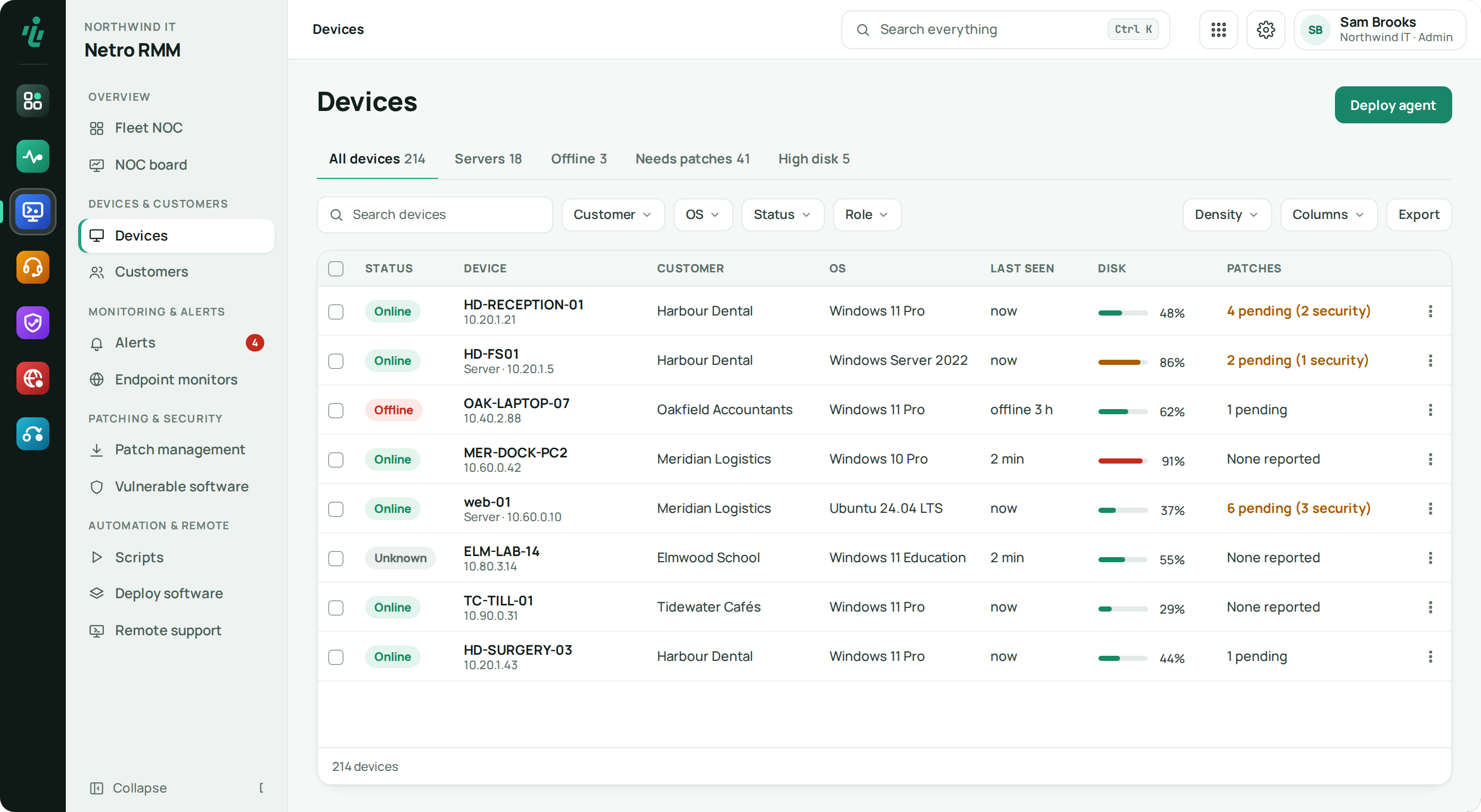
An agent on each Windows or Linux device reports health and alerts. Help a user remotely with their consent, install patches and run scripts after approval. Every action is logged.
Price From €1.50 per workstation · minimum €29 / month · from €4 per server. See pricing
Who uses Netro RMM.
MSPs
A separate installer and view per customer, and a log of everything your engineers do.
IT teams
Servers and workstations in one console, with patching and scripts the whole team can use safely.
Helpdesk engineers
Open the caller's device from the ticket and start a remote session, under the consent rules set for that customer.
What Netro RMM does.
-
Step 01
Agents on every device
Install silently on Windows (.exe or .msi) or Linux, with an installer per customer. The agent knows whether it runs on a server or a workstation, and updates itself in place when you click Update agent.
-
Step 02
Remote console
Run PowerShell or cmd on a device without starting a full screen-sharing session.
-
Step 03
Remote support
Take over a screen from the browser or the desktop viewer. Per customer you choose: the user clicks Allow first, sees a banner while you're connected, or — for servers and unattended machines — only a tray icon.
-
Step 04
Patching
Patch management opens by device: the devices that need action first, each with its pending and security updates, a failed install or a restart that is waiting. Switch to By update for every pending update. Install now or tonight on each device's own clock; an offline device gets it when it is back.
-
Step 05
Scripts with approval
Each script has a risk level, and risky ones need approval before they run — so nobody runs one by accident.
-
Step 06
Devices without an agent
Routers, printers and network gear are pinged by an agent on the same network, and you can run SSH commands on them through that agent. No open ports needed.
-
Step 07
Vulnerable software
Installed software with a vulnerability that is known to be used in attacks, by product, customer and device, next to the security updates the devices report.
-
Step 08
Deploy software
Upload an .msi or .exe once. The silent install line is read from the file, and you install it on chosen devices or a device group — and see which devices still run an older version.
-
Step 09
Session history
Every remote session with its customer, device, technician and duration, and one Start session for a managed device or a support code.
-
Step 10
Alerts and who was told
Open alerts, the rules that raise them and the policies per customer, with a Notified column that says whether each e-mail or message was sent.
-
Step 11
Reports per customer
Run a report for all customers, one, or a few.
-
Step 12
Audit log
Every action is recorded — who, what and when — and records can't be changed afterwards.
Also in Netro RMM
Agent logs on request
Download an agent's logs from the console when you need to troubleshoot.
Getting started
Download the installer
Each customer gets its own silent installer for Windows (.exe or .msi) or an install command for Linux.
Install the agent
Roll it out with your own tools or by hand. Devices appear under the right customer.
Set the rules
Choose monitoring policies, remote-support consent and alert rules, per customer.
Support and automate
Open remote sessions, run approved scripts and download agent logs from one place.
Works with what you already use.
- Windows (service, .exe / .msi)
- Linux agent
- Netro Helpdesk tickets
- Netro Dashboard sign-in & branding
- Netro DNS certificate deployment
Frequently asked questions
Which operating systems does Netro RMM support?
Windows, through a service installed silently from a per-customer .exe or .msi, and Linux, through the Linux agent.
Is remote support consent-based?
Yes. You set the rule per customer: the user clicks Allow before a session starts, the user sees a banner while the technician is connected, or — for servers and unattended machines — the session runs in the background with only a tray icon. Remote support can also be switched off for a customer.
Can I monitor devices that can't run an agent?
Yes. An agent on the customer's network pings routers, printers and network gear, and can run SSH commands on them for you, so you don't need to open anything to the internet.
Is every action logged?
Yes. Remote sessions, script runs and configuration changes go into an audit log that can't be edited.
Is Netro RMM hosted, or do I install it myself?
Inetro hosts the console; you open it in your browser. The only thing you install is the agent, on the devices you look after.
Try Netro RMM free for 14 days
Every account starts with a 14-day trial of every app, no card needed, and goes straight into a setup wizard. Or let our engineers run it for you.