
Move every mailbox, one checked step at a time.
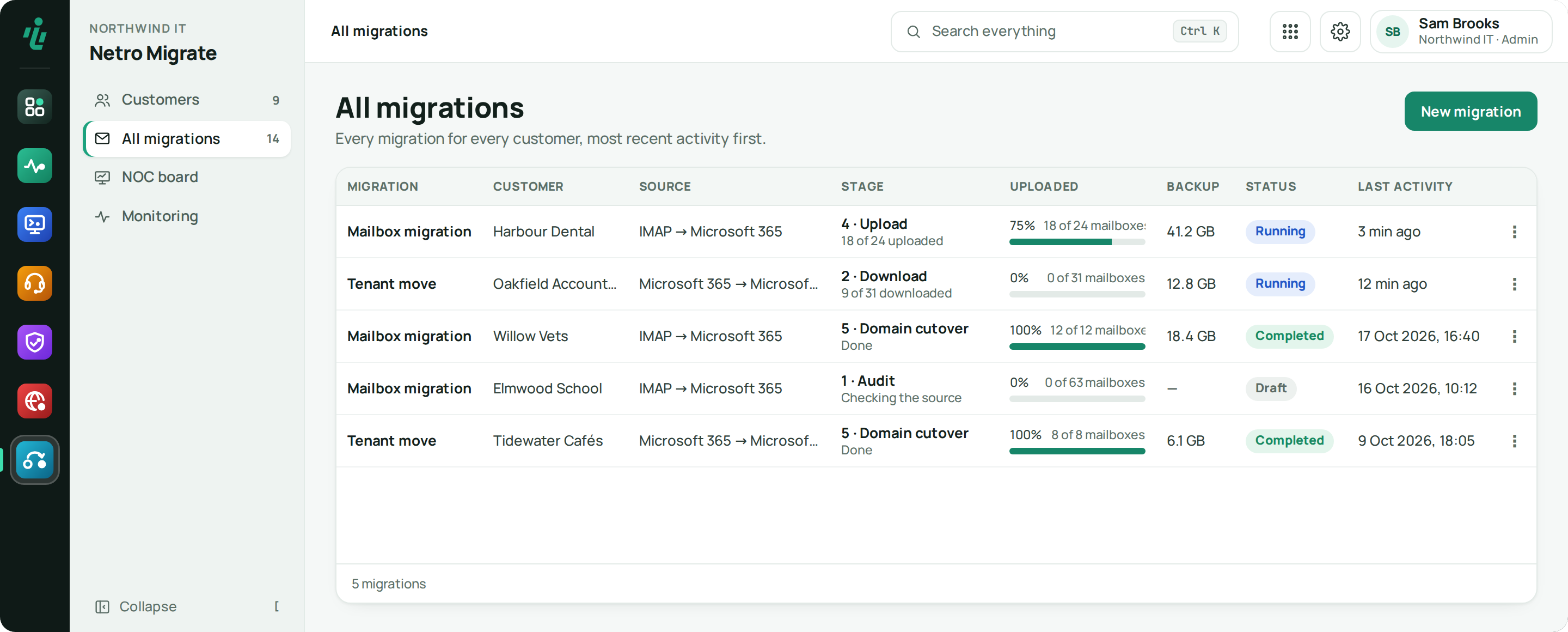
Netro Migrate moves mail from IMAP servers and from one Microsoft 365 tenant to another. Every mailbox is audited, backed up encrypted, uploaded and checked before the domain moves, and you see the cost before anything is uploaded.
Price From €8 per completed mailbox · from €11 per tenant-to-tenant user · billed once, no minimum. See pricing
Who uses Netro Migrate.
MSPs
Every customer's migration in one list, billed per completed mailbox, with a status page your customer can follow.
IT teams
Your own move to Microsoft 365 or to a new tenant, with a backup of every mailbox kept until you no longer need it.
What Netro Migrate does.
Five steps, in order
Audit, download, prepare the target, upload, move the domain. Migrate enforces the order per mailbox, so a mailbox is only uploaded once it is backed up and its target account is ready.
Microsoft 365 and IMAP sources
From another Microsoft 365 tenant, including GoDaddy 365, users are found automatically and mail, calendar, contacts and tasks are copied. From an IMAP server such as cPanel, Zoho, GoDaddy Workspace or Yahoo, mail is copied from a CSV of each mailbox's login.
SharePoint sites
Copy SharePoint document libraries from one tenant to another, and copy only new and changed files on a later run.
An encrypted backup of every mailbox
Every message is stored encrypted before it is uploaded. Download any mailbox as an .mbox file. The backup is deleted 30 days after the domain move, or kept longer if you choose.
Time estimates and progress
See how long the download and the upload will take, per mailbox and in total, and a download and an upload bar for every mailbox while it runs.
Target accounts prepared
Map each mailbox to an existing account or create it on the new tenant with a licence, then check that every target mailbox can be reached before the upload.
Moving the domain
See where the domain's mail records point and where it is verified, follow a step-by-step checklist, and run a final sync of the mail that arrived in the meantime.
Cost before the upload
The upload shows what the mailboxes will cost from your plan. You pay once per completed mailbox, never for one that does not complete.
A status page for your customer
Share a read-only link that shows your customer how their migration is going, without an account.
Getting started
Connect source and target
Connect the Microsoft 365 tenants, or the IMAP server with a CSV of mailbox logins.
Audit and approve
Migrate counts the items and size of every mailbox and estimates the time. Someone approves the audit.
Back up and prepare
Every mailbox is copied into the encrypted backup while the target accounts are prepared.
Upload and move the domain
Upload in batches, run the final sync and record the domain move.
Works with what you already use.
- Microsoft 365 (Microsoft Graph)
- Exchange Online
- IMAP servers
- SharePoint
- Netro Dashboard customers & sign-in
- Alerts from the Netro Dashboard
Frequently asked questions
Which sources can Netro Migrate move mail from?
Microsoft 365 tenants, including GoDaddy 365, and IMAP servers such as cPanel, Zoho, GoDaddy Workspace and Yahoo. The target is Microsoft 365.
When do I pay?
Once per completed mailbox, or per user for a tenant-to-tenant move. Nothing is billed for a mailbox that does not complete, or for the practice migration.
What happens to the backup?
It stays encrypted and is deleted 30 days after you mark the domain move complete. You can keep it longer per migration, or delete it straight away.
Can my customer follow the migration?
Yes. Share the status link: it shows progress without an account, read-only.
Can I try it before a real migration?
Yes. Run the practice migration: sample mailboxes go through every step from start to finish, and it is never billed.
Try Netro Migrate
Every account starts with a 14-day trial, no card needed. Run the practice migration with sample mailboxes first; a real migration is billed per completed mailbox. Or let our engineers run it for you.